%20skewX(-10.5)%20translate(-32%20-32)'%3e%3cpath%20d='M49.75%2015H29A8.5%208.5%200%200%200%2029%2032H35A8.5%208.5%200%200%201%2035%2049H14.25'%20fill='none'%20stroke='%2316130E'%20stroke-width='9.5'/%3e%3c/g%3e%3cg%20transform='translate(82%2013)%20scale(1.02)'%20fill='%23E9E3D5'%3e%3cpath%20d='M2%205.5C2%202.46%204.46%200%207.5%200H25v6H8v5h13c3.31%200%206%202.69%206%206v9c0%203.31-2.69%206-6%206H2v-6h18v-9H7.5A5.5%205.5%200%200%201%202%2011.5v-6Z'/%3e%3cpath%20d='M34%209h22v6H41v11h15v6H40c-3.31%200-6-2.69-6-6V15c0-3.31%202.69-6%206-6Z'/%3e%3cpath%20d='M63%209h19c3.31%200%206%202.69%206%206v5c0%202.29-1.28%204.28-3.16%205.29L90%2032h-8l-4.5-6H70v6h-7V9Zm7%206v5h11v-5H70Z'/%3e%3cpath%20d='M105%209h8l13%2023h-8l-2.5-5h-13L100%2032h-8l13-23Zm.5%2012h7l-3.5-7-3.5%207Z'/%3e%3cpath%20d='M131%209h19c3.31%200%206%202.69%206%206v7c0%203.31-2.69%206-6%206h-12v4h-7V9Zm7%206v7h11v-7h-11Z'/%3e%3cpath%20d='M163%209h24v6h-17v3h14v5h-14v3h17v6h-24V9Z'/%3e%3cpath%20d='M194%200h7l16%2020V0h7v32h-7l-16-20v20h-7V0Z'/%3e%3cpath%20fill-rule='evenodd'%20d='M231%209h28v23h-28V9Zm7%206v11h14V15h-14Z'/%3e%3cpath%20d='M264%209h7l4%2015%204-15h7l4%2015%204-15h7l-7%2023h-8l-4-12-4%2012h-8l-6-23Z'/%3e%3c/g%3e%3c/svg%3e)
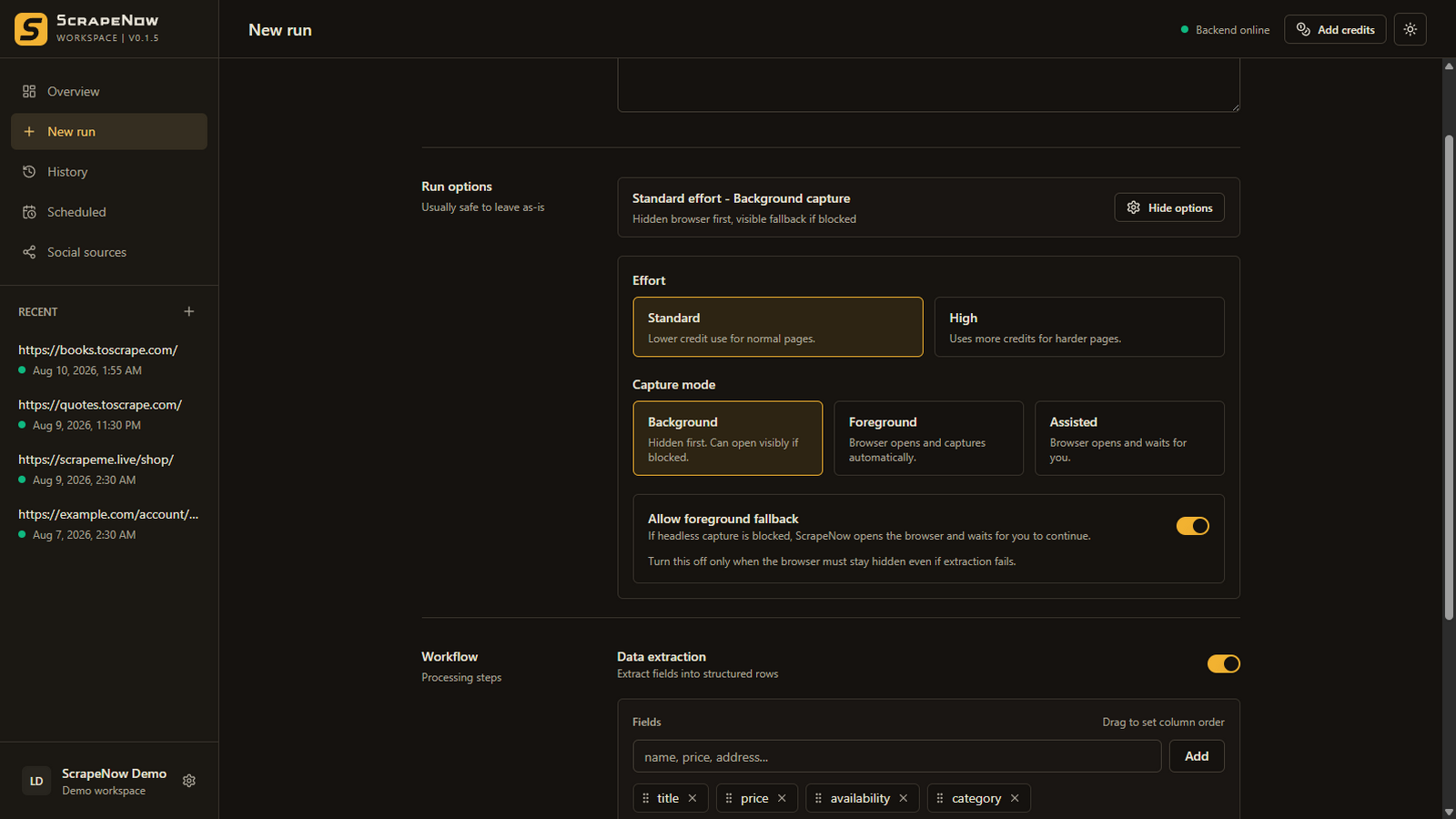
Yes, when the data is visible in a browser state you can reach. Background mode handles routine pages. Foreground mode lets you watch loading. Assisted mode waits while you perform the interaction that reveals the data, then continues only when you are ready.
Capture modes
Choose how much browser control you need
| Mode | Browser behavior | Good fit |
|---|---|---|
| Background | Captures in a hidden browser and can fall back visibly when the first attempt returns no useful rows. | Most public JavaScript pages |
| Foreground | Opens the browser visibly and captures automatically. | Watching loading or diagnosing a page |
| Assisted | Opens visibly and waits for you to prepare the page before capture. | Filters, consent, login, tabs, and manual scrolling |
Assisted workflow
Keep the interaction human and the output structured
Start Assisted mode
A visible browser opens the source page using the local capture service.
Reach the useful state
Apply the filters, dismiss consent, open the tab, or scroll until the records are visible.
Confirm capture
Tell ScrapeNow the page is ready. It captures the prepared state and extracts your fields.
Good fits
Dynamic patterns this approach can handle
Wait for JavaScript to render the records before capture.
Choose the relevant category, date, location, or tab personally.
Accept or reject the available options before continuing.
Scroll until the records you need are present in the captured page state.
What to expect
Rendered does not mean unrestricted
- ScrapeNow does not bypass CAPTCHAs, bot protection, access controls, or site restrictions.
- You must be able to reach and view the data lawfully in the local browser.
- Only content present in the prepared page state can be captured.
- Infinite scrolling may require you to scroll far enough to load every desired record.
- A site can still change, block automation, or prohibit collection under its terms.
For the complete mode behavior, see the capture mode documentation.
Related workflows