%20skewX(-10.5)%20translate(-32%20-32)'%3e%3cpath%20d='M49.75%2015H29A8.5%208.5%200%200%200%2029%2032H35A8.5%208.5%200%200%201%2035%2049H14.25'%20fill='none'%20stroke='%2316130E'%20stroke-width='9.5'/%3e%3c/g%3e%3cg%20transform='translate(82%2013)%20scale(1.02)'%20fill='%23E9E3D5'%3e%3cpath%20d='M2%205.5C2%202.46%204.46%200%207.5%200H25v6H8v5h13c3.31%200%206%202.69%206%206v9c0%203.31-2.69%206-6%206H2v-6h18v-9H7.5A5.5%205.5%200%200%201%202%2011.5v-6Z'/%3e%3cpath%20d='M34%209h22v6H41v11h15v6H40c-3.31%200-6-2.69-6-6V15c0-3.31%202.69-6%206-6Z'/%3e%3cpath%20d='M63%209h19c3.31%200%206%202.69%206%206v5c0%202.29-1.28%204.28-3.16%205.29L90%2032h-8l-4.5-6H70v6h-7V9Zm7%206v5h11v-5H70Z'/%3e%3cpath%20d='M105%209h8l13%2023h-8l-2.5-5h-13L100%2032h-8l13-23Zm.5%2012h7l-3.5-7-3.5%207Z'/%3e%3cpath%20d='M131%209h19c3.31%200%206%202.69%206%206v7c0%203.31-2.69%206-6%206h-12v4h-7V9Zm7%206v7h11v-7h-11Z'/%3e%3cpath%20d='M163%209h24v6h-17v3h14v5h-14v3h17v6h-24V9Z'/%3e%3cpath%20d='M194%200h7l16%2020V0h7v32h-7l-16-20v20h-7V0Z'/%3e%3cpath%20fill-rule='evenodd'%20d='M231%209h28v23h-28V9Zm7%206v11h14V15h-14Z'/%3e%3cpath%20d='M264%209h7l4%2015%204-15h7l4%2015%204-15h7l-7%2023h-8l-4-12-4%2012h-8l-6-23Z'/%3e%3c/g%3e%3c/svg%3e)
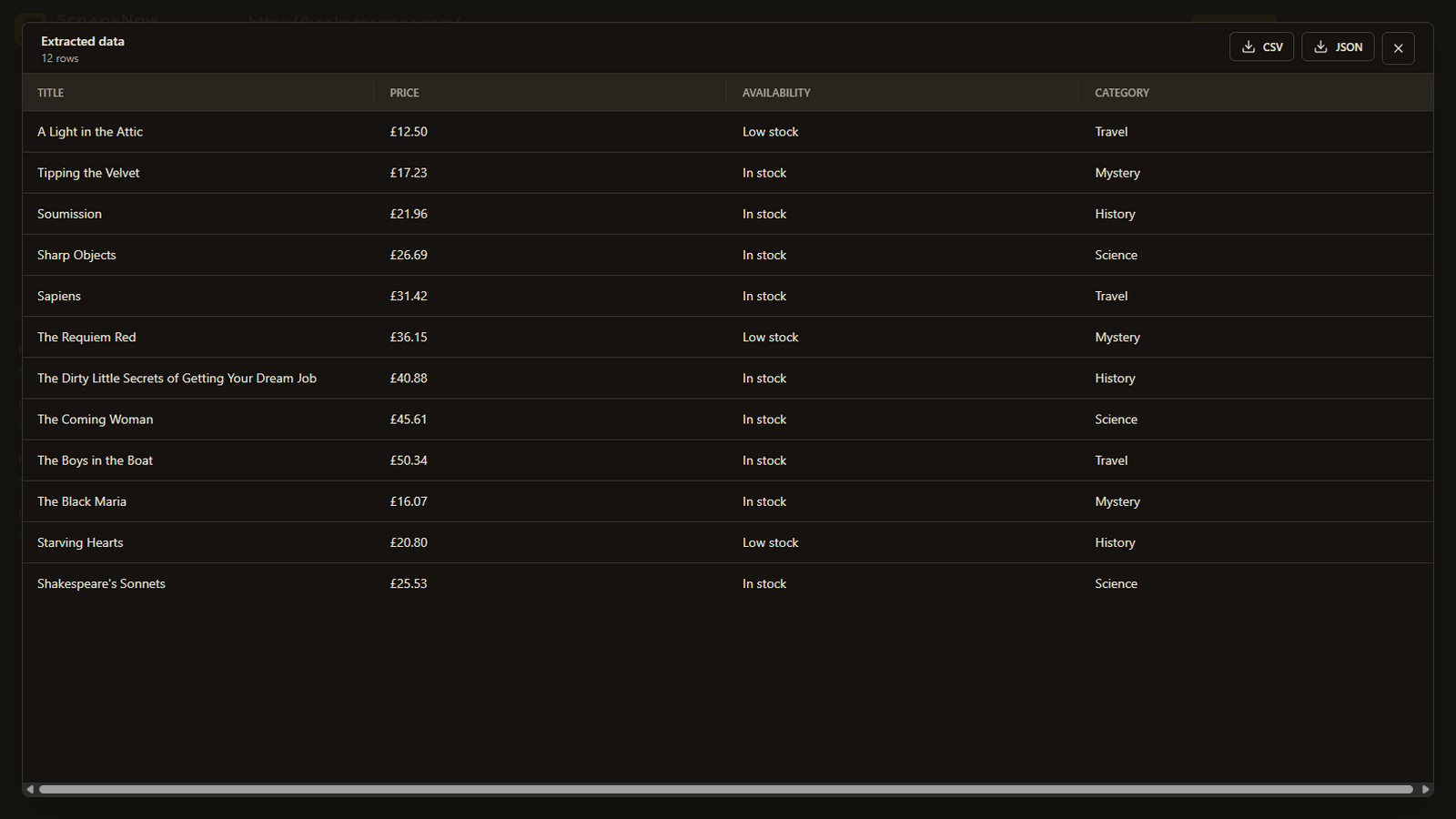
Create one ScrapeNow run, add the source URLs, define the common fields, and validate the schema on a small sample. If the collection is linked through numbered or next-page navigation, use pagination discovery and review the discovered URLs before processing them.
Choose the source
Use a URL list when you already know the pages
This is the most controlled path. Add the URLs you intend to process and use the same field schema across them. It works best when each page represents the same type of record, such as products, profiles, properties, or articles.
- Test one representative URL with the smallest useful field list.
- Add the remaining URLs to the same run.
- Keep one schema across pages with comparable structure.
- Select a capture mode that works for the source website.
- Run the collection and inspect the combined result.
Pagination discovery
Discover connected listing pages, then review them
Use pagination discovery when the first listing page links to more pages through a next button, numbered pages, or another repeatable navigation pattern. Describe what ScrapeNow should follow or set the maximum page scope, then review the discovered URLs.
Identify the page links
Tell ScrapeNow which navigation leads to additional listing pages.
Confirm the discovered scope
Remove irrelevant, duplicate, account, or out-of-scope URLs before continuing.
Apply one schema
Capture the approved pages and combine the returned records.
Pagination discovery is optional. It should not be enabled for a single standalone page or when you already have the exact URL list.
Browser sessions
Reuse a prepared session across the same website
When a visible session is required, ScrapeNow can reuse it for later URLs from the same site. This is useful after authorized login, cookie consent, or other setup that would otherwise need to be repeated for every page.
Session reuse is a convenience, not an access bypass. Every source page still needs to be within the access and processing scope you are permitted to use.
Quality control
Scale only after the schema is stable
| Check | What to verify | Why it matters |
|---|---|---|
| Representative page | The first page contains the same record type as the collection. | One schema must make sense across the run. |
| Field meaning | Each requested field maps to a distinct visible value. | Ambiguous columns become inconsistent at scale. |
| URL scope | Every URL is intended, permitted, and not duplicated. | Prevents wasted credits and unwanted collection. |
| Sample rows | Several early results contain the expected values. | Catches page variants before the full export is used. |
Limits
Large collections need deliberate boundaries
- Discovered links can include irrelevant or duplicate pages, so review them before extraction.
- Pages with substantially different layouts may not fit one field schema.
- Dynamic or logged-in collections may require a visible browser session.
- More pages consume more credits. Validate the setup on a small batch first.
- ScrapeNow does not bypass access controls or grant permission to collect a website.
Related workflows